
Logging in
Logging in
Here you’ll learn how to log in to your committee page.
On the committee’s main page, and to the left of this text, you will see a list of all committees currently houses on the committee site.
Find your committee and click on it. This will take you to your committees home page.

Step 2: Identify your committee URL.
In your browser, towards the top of the box you should see a URL bar similar to the one pictured below. It will look something like /the-name-of-your-committee-here
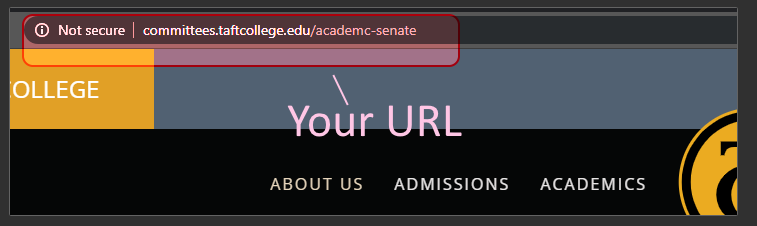
Step 3: Add /wp-admin to the end of the URL in the URL bar.
Click in the bar and add “/wp-admin” to the end of the URL, without the quotes.

Once you’ve added /wp-admin to the URL, press Enter or Return on your keyboard.
Step 4: Enter your username and password.
Enter your username and password into the text areas and click Login.
